

Workday Enterprise Data Meets Compliance
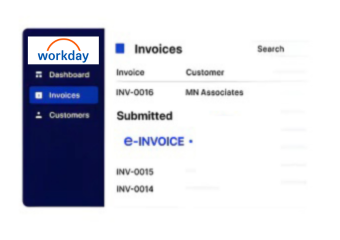
How Workday e-Invoicing Connects with Advintek
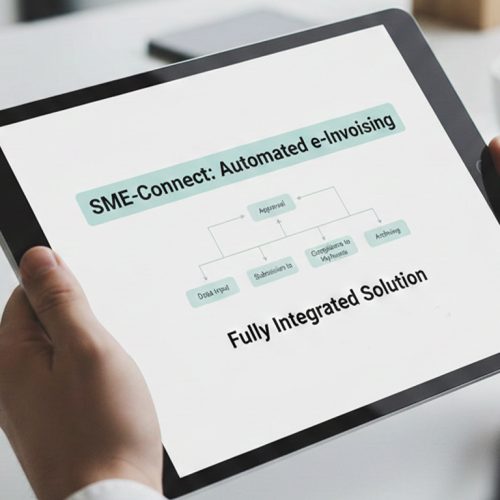
- Record Context Entry: Workday records enter Advintek with relevant financial, organizational, and transaction context preserved for processing.
- Enterprise Data Matching: Applicable accounts, entities, customers, and suppliers are matched against originating records before invoice assembly.
- Transaction Information Assembly: Financial and operational details are consolidated according to applicable transaction and electronic documentation requirements.
- Invoice Content Review: Invoice information is reviewed against connected Workday data before electronic processing proceeds through Advintek.
- Processing Response Capture: Processing responses are captured with source references, allowing teams to review outcomes against originating transactions.
- Outcome Record Association: Completed invoice results are associated with Workday records for reconciliation and downstream financial review.
What Does Workday Integration Cover Across Enterprise Functions
Workday connects financial management with organizational, procurement, supplier, customer, expense, and reporting information. Advintek uses relevant relationships within that ERP environment to support structured electronic invoice processing.
- Financial records connect with invoice information
- Supplier details accompany procurement transactions
- Customer references support applicable billing records
- Expense data provides transaction context
Why Align Workday with South Korea E-Invoicing
- Maintained Financial Context: Finance teams retain Workday accounting context while electronic invoices progress through connected processing workflows.
- Improved Reporting Visibility: Organizational references remain visible alongside financial transactions, supporting clearer review across enterprise reporting structures.
- Connected Procurement Records: Procurement information stays associated with applicable supplier transactions when supporting invoice documentation is required.
- Relevant Expense Context: Expense details can provide additional transaction context when relevant information contributes to electronic invoice preparation.
- Simplified Reconciliation Reference: Reconciliation teams can compare processed documents with originating Workday financial records during review activities.
- Aligned NTS Requirements: NTS-related requirements can be supported while Workday continues managing core enterprise financial information centrally.
Advintek for Workday E-Invoicing Integration
Organization Review Console
Review organizational relationships alongside financial transactions and related electronic invoice processing details directly.
Exception Analysis Workspace
Analyze document exceptions with originating Workday records and supporting transaction context available together.
Invoice Reconciliation Center
Compare processed invoice outcomes against source records through searchable financial and document references.
A Compliance Solution for Workday Businesses in South Korea
Workday remains the central enterprise environment while Advintek extends applicable financial and operational records into South Korea e-invoicing workflows.
- Financial information stays within Workday
- Supplier activity retains procurement context
- Organizational data remains transaction-linked
- Expense records support relevant financial reviews
Improve Your Finance Document Workflow
Link Workday financial records with South Korea e-invoicing through Advintek.
Coordinate enterprise data through compliant workflows.
Ready e-Invoice System
Frequently Asked Questions Workday e-Invoicing in South Korea
Which Workday financial records can support e-invoicing?
Relevant Workday information can include accounting transactions, customer and supplier details, organizational references, procurement records, expense information, tax attributes, and other applicable financial data. Advintek connects the required records within the electronic invoice workflow while preserving their Workday relationships. This allows finance teams to continue using Workday as their central enterprise financial environment.
How can Workday procurement data contribute to invoices?
Workday procurement information can provide supplier references, purchasing details, transaction attributes, expense context, and related financial information when applicable. Advintek can associate those records with electronic invoice processing while retaining their connection to the originating ERP transactions. Procurement teams therefore continue working within established Workday processes while relevant information supports downstream invoice documentation.
What role do Workday expenses play in e-invoicing?
Expense information can provide supporting transaction context when applicable records contribute to electronic invoice preparation. Advintek can use relevant expense, financial, supplier, and organizational information while maintaining its relationship with Workday. This allows finance teams to review invoice activity alongside underlying enterprise records instead of treating electronic documents as disconnected transactions.
How does NTS fit with Workday e-invoicing?
The National Tax Service, or NTS, forms part of South Korea’s tax administration environment relevant to electronic invoicing. Advintek provides the connected processing layer between applicable Workday records and electronic invoice workflows. Workday continues managing financial, organizational, procurement, and expense information while Advintek supports the document-processing requirements associated with South Korea.
Can organizational structures remain visible after processing?
Yes. Workday organizational information can remain associated with applicable financial transactions throughout the connected invoicing workflow. Advintek does not require those relationships to be separated from their originating ERP context. This can help finance and reporting teams distinguish relevant business activity when reviewing invoice outcomes, transaction records, and reconciliation information.