Compliance Controls for QuickBooks Desktop Accounting
How QuickBooks Desktop Invoices Enter Compliance
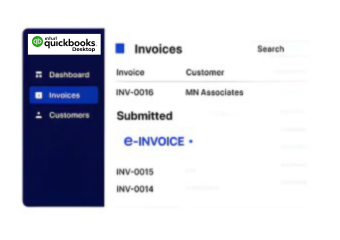
- Source Record Extraction: QuickBooks Desktop invoice information is collected with relevant customer, tax, item, and accounting attributes.
- Field-Level Mapping: Extracted accounting fields are matched with required information for South Korea electronic invoice processing.
- Compliance Data Review: Invoice records undergo validation checks to identify missing, inconsistent, or unsuitable information before processing.
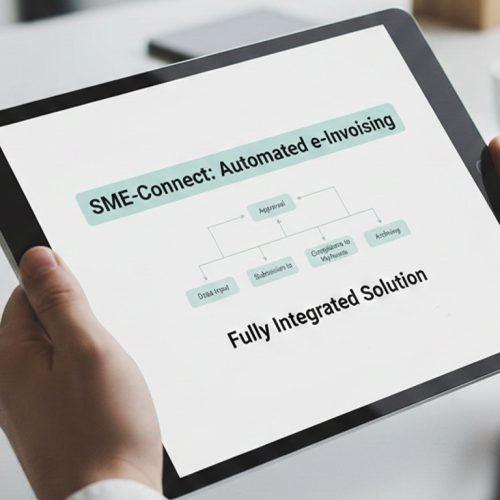
- Structured Document Preparation: Approved information is organized into electronic invoice structures required for subsequent transmission and processing.
- Submission Response Handling: Transmission results are captured against corresponding QuickBooks Desktop records for status visibility and follow-up.
- Accounting Record Reconciliation: Completed processing information supports reconciliation between desktop accounting records and E-invoice transactions.
What Advintek Adds Around QuickBooks Desktop
Advintek creates a compliance integration layer around QuickBooks Desktop, connecting locally maintained accounting records with South Korea e-invoicing workflows without replacing the established accounting environment.
- Extracts relevant QuickBooks Desktop invoice information
- Maps accounting fields for electronic processing
- Identifies invoice data exceptions before submission
- Associates responses with source accounting records
Why Operational Value Across QuickBooks Desktop Workflows
- Accounting Data Continuity: QuickBooks Desktop remains central to invoice preparation while Advintek handles connected compliance processing activities around existing records.
- Controlled Data Transformation: Accounting information passes through defined mapping stages before becoming structured E-invoice documentation for processing.
- Cleaner Transaction Handling: Automated checks help identify problematic invoice information before it reaches downstream E-invoicing workflows.
- Traceable Invoice Processing: Source records remain connected with processing responses, supporting clearer investigation of individual invoice transactions.
- Centralized Exception Review: Accounting teams receive structured visibility into validation issues and processing exceptions requiring correction or further action.
- NTS Process Alignment: Advintek supports South Korea E-tax invoice workflows while accommodating processes associated with the National Tax Service.
South Korea E-Invoicing Tools Connected
Transaction Exception Review
Review invoice exceptions through structured workflows that highlight missing fields, inconsistent information, and processing issues clearly.
Processing Activity Insights
Follow invoice progress through organized status information covering validation, preparation, transmission, and response activities.
Document Record Coordination
Associate electronic invoice records with accounting transactions to support reconciliation, reporting, and operational documentation requirements.
QuickBooks Desktop Support In South Korea
Advintek supports businesses using QuickBooks Desktop as their accounting foundation while connecting established desktop processes with South Korea e-invoicing requirements.
- Continue preparing invoices through QuickBooks Desktop
- Connect desktop records with compliance processing
- Review exceptions before electronic transmission
- Reconcile accounting and invoice records
Start QuickBooks Desktop E-Invoicing
Support accounting operations with connected regulatory processing.
Connected to QuickBooks Desktop. Managed through Advintek.
Ready e-Invoice System
Frequently Asked Questions QuickBooks Desktop e-Invoicing South Korea
How can QuickBooks Desktop support South Korea e-invoicing through Advintek?
QuickBooks Desktop can remain the accounting environment where invoice records are created and maintained, while Advintek provides the connected compliance layer. Relevant transaction information is extracted, mapped, validated, structured, and processed through the required electronic invoicing workflow. Processing responses can then be associated with the originating desktop records for accounting review and reconciliation.
What QuickBooks Desktop information is used for electronic invoice processing?
Relevant customer, supplier, invoice, item, tax, and transaction information can be extracted from QuickBooks Desktop according to the configured integration. Advintek maps these accounting attributes into the required electronic invoice structure, checks the resulting information, and prepares the document for downstream processing. This helps preserve the relationship between source accounting data and compliant invoice records.
Can Advintek identify errors before QuickBooks Desktop invoices are submitted?
Yes. Advintek can apply validation checks to information received from QuickBooks Desktop before the invoice progresses through the submission workflow. Missing or inconsistent fields can be identified for review, allowing accounting teams to correct source information before processing continues. This creates a controlled exception path instead of relying entirely on manual invoice inspection.
How are NTS-related electronic invoice workflows handled with QuickBooks Desktop?
Advintek provides an integration layer that prepares relevant QuickBooks Desktop invoice information for South Korea E-tax invoice workflows associated with NTS processes. The solution can support data mapping, validation, structured document preparation, transmission handling, and response tracking. This allows the desktop accounting environment to remain part of the established operational process while compliance activities are coordinated separately.
Can QuickBooks Desktop records remain available for reconciliation after processing?
Yes. The integration can associate processed electronic invoice information with corresponding QuickBooks Desktop transaction references. This gives accounting teams a clearer relationship between the original desktop record, compliance processing activity, and resulting response information. Such coordination can support reconciliation, exception investigation, reporting, and ongoing management of electronic invoice records.