

South Korea E-Invoicing for Microsoft Dynamics 365 Field Service
How Dynamics 365 Field Service E-Invoicing Integrates in South Korea
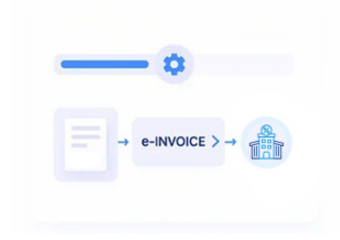
- Service Data Extraction: Collects configured customer, work order, service, product, pricing, VAT, and billing information from Dynamics 365 Field Service.
- Invoice Data Verification: Checks required invoice fields and configured South Korea tax invoice information before electronic processing.
- Structured Invoice Creation: Converts approved billing data into the required structured electronic invoice representation for downstream processing.
- Electronic Tax Invoice Routing: Routes prepared invoice information through the configured e-invoicing or electronic tax invoice channel.
- Response Reconciliation: Returns submission results, processing messages, and invoice status information to support finance and service-team follow-up.
What Does the Dynamics 365 Field Service Connector Manage in South Korea
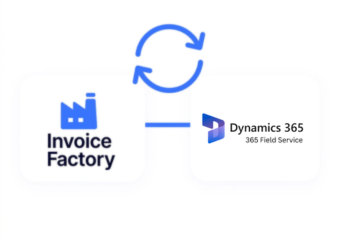
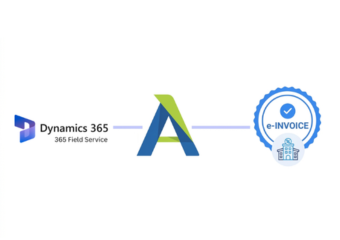
Advintek adds an e-invoicing integration layer around Dynamics 365 Field Service, connecting service billing information with South Korea electronic tax invoice processes while keeping core field-service workflows intact.
- Maps work order billing and tax information
- Connects customer and supplier tax details
- Validates VAT and taxable invoice fields
- Tracks invoice responses and processing exceptions
Why integrate Dynamics 365 Field Service in South Korea
- Tax Data Alignment: Organize service invoice information according to configured South Korea electronic tax invoice requirements and workflow fields.
- Billing Traceability: Link electronic invoices with work orders, service activities, customers, products, and billing references for transaction-level tracking.
- VAT Information Handling: Keep taxable values and VAT-related information associated with relevant service transactions for electronic invoice preparation.
- Exception Management: Identify incomplete or inconsistent invoice information before it proceeds through the configured electronic invoicing workflow for review.
- Multi-Team Coordination: Give finance and field-service teams access to relevant invoice processing information without changing primary service processes.
- Invoice Response Tracking: Associate processing responses, acknowledgements, exceptions, and document references with originating Field Service billing transactions for review.
Complete Control Over South Korea E-Invoicing Workflows in One Platform
Invoice Data Verification
Review customer identifiers, service dates, billing amounts, VAT values, and invoice references before electronic tax processing.
Service Billing Mapping
Connect work orders, service activities, products, charges, customers, and billing records with corresponding invoice information.
Korean Invoice Structuring
Format Field Service billing details into structured electronic tax invoice data for configured South Korea workflows.
Built for Microsoft Dynamics 365 Field Service Users South Korea
Advintek supports South Korean service organizations using Dynamics 365 Field Service by connecting work-order billing, VAT data, NTS-related tax invoice workflows, electronic documents, and processing records.
- Connects work-order billing with NTS tax workflows
- Supports Korean electronic tax invoice processing
- Maintains service invoice and work references
- Tracks VAT data and invoice responses
Connect Field Service Billing with Korea E-Invoicing
Connect Field Service billing with VAT checks, electronic invoices, and response tracking.
Helps route service invoice data into South Korea e-invoice workflows.
Ready e-Invoice System
Frequently Asked Questions Microsoft Dynamics e-Invoicing South Korea
Can Dynamics 365 Field Service service charges be used for Korean electronic tax invoices?
Yes. Advintek can connect configured service billing information from Dynamics 365 Field Service with South Korea electronic tax invoice workflows. Relevant work orders, customer details, service charges, taxable amounts, VAT information, invoice references, and other required fields can be mapped for electronic invoice processing.
How does Advintek handle VAT information from Dynamics 365 Field Service in South Korea?
Advintek can map configured VAT-related information from Field Service billing records into the electronic tax invoice workflow. Taxable amounts, VAT values, billing references, customer information, and transaction details can be checked and prepared before the invoice data is submitted through the configured processing channel.
Can Field Service work orders remain linked to electronic tax invoice records?
Yes. The integration can maintain relationships between Field Service work orders, service activities, customers, charges, billing records, and corresponding electronic tax invoice references. This helps finance and service teams trace invoice information back to the originating service transaction when reviewing submissions, responses, or exceptions.
What happens when a South Korea electronic tax invoice contains incomplete billing information?
Configured validation checks can identify missing or inconsistent information before the billing data proceeds through electronic tax invoice processing. Depending on the workflow, fields such as customer identifiers, invoice references, transaction dates, taxable amounts, VAT values, and required billing details can be flagged for review.
Can Advintek track electronic tax invoice responses from Dynamics 365 Field Service?
Yes. Advintek can associate processing responses with the originating Field Service billing information. Submission results, acknowledgements, validation messages, exceptions, and invoice references can be captured within the configured workflow, helping finance and service teams review the processing status of individual service invoices.